Guides · Step by step
How to create a memorial page
Everything that happens, in the order it happens, and what you can safely leave until another day. Most families set the page up in an evening and keep adding to it for years.
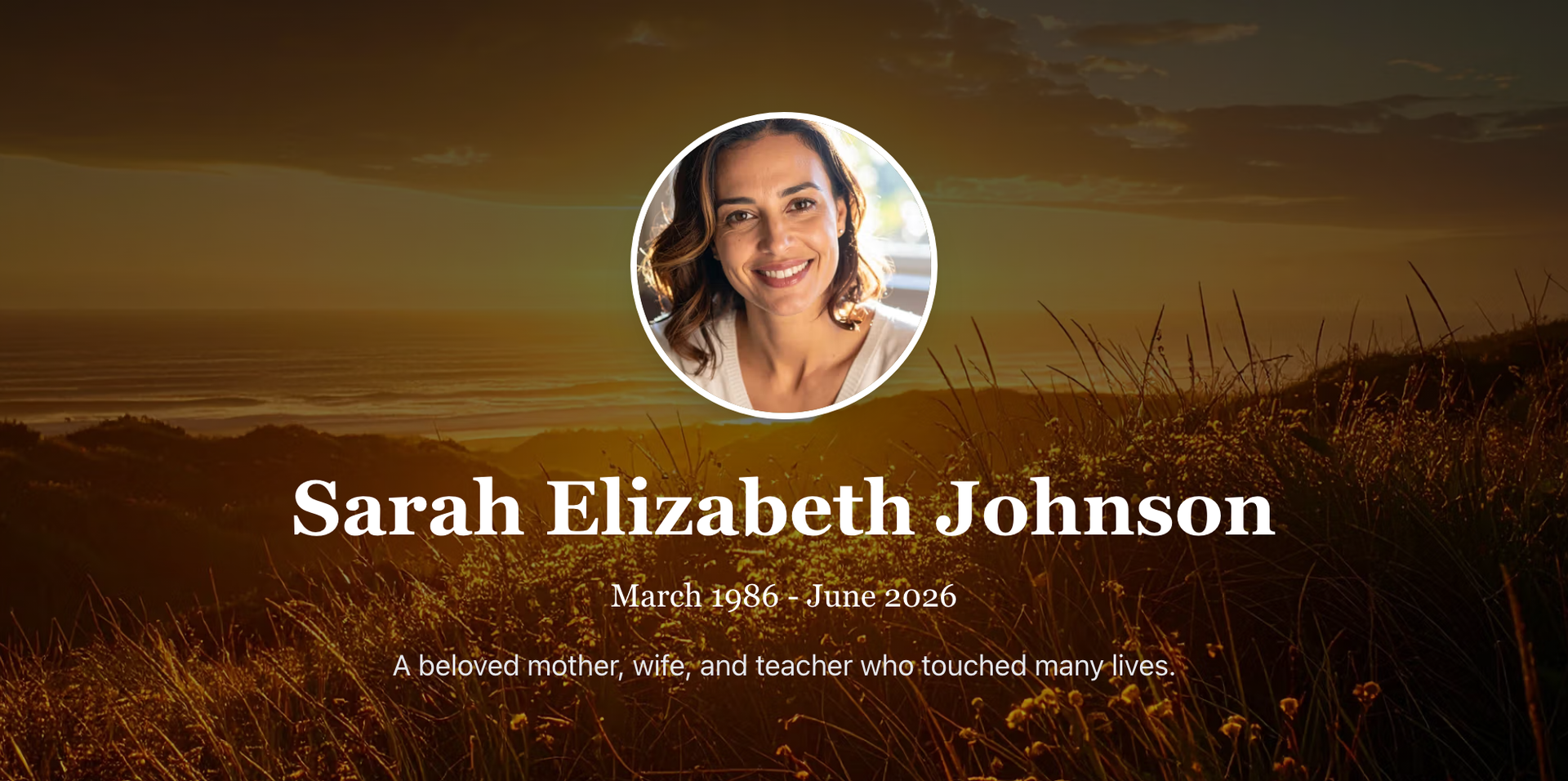
What a finished memorial looks like to the people you invite. Everything on this page shows how you get there. · AI-generated image
The short version
Setting the page up takes about ten minutes. Filling it in can take as long as you like.
Every memorial is invite-only. It is never listed publicly and never indexed by search engines.
You do not need photographs, dates, or a finished life story to begin.
Family and friends add their own photographs and memories once you share the invite link.
You can change anything, at any time, for as long as the memorial exists.
- Remembrance starts with a free trial, so you can build the page and see it exactly as your family will before your first payment.
What actually happens
Six steps. Only the first one needs finishing in one sitting.
Choose a plan
Remembrance covers one memorial and includes a two-day free trial. Legacy covers three. Your account is created as part of checkout, so there is no separate sign-up form and nothing to prepare first.
You land straight in your account
After checkout you arrive in your account already signed in, ready to begin. Whenever you come back, we email you a one-time sign-in link, or you can sign in with Google. There is no password to remember.
Create the memorial
One click creates it. It starts as a private draft that only you can see, and nothing has to be right first time.
Add what you have
A guided checklist walks you through their name and dates, a photograph, the life story, the service details and the gallery. Work in any order, skip what you do not have yet, and come back whenever you like.
Publish when you are ready
Publishing opens the page to the people you invite, and to no one else. It never appears in searches and never becomes public.
Share the invite link
Each memorial has one invite link. Share it by message, by email, or printed on the order of service. Guests give their name and email before they can see or post anything, so you always know who is there.
The guided checklist from step four walks you through each part, so nothing important is missed.
The account you land in after checkout, with everything for the page in one place.
What the page holds
Six parts, added in any order, at your own pace
Guest book
The first thing anyone sees. Family and friends post memories, photographs and messages, and can comment on each other's. This is usually where the stories you have never heard turn up.
Life story
A biography in your own words. Some families write it in one sitting. Most add a paragraph at a time over months, which is a perfectly good way to do it.
Photographs and video
A gallery you control, separate from the guest book. Guests add photographs to their own posts, and you can move any of them into the gallery, so what is sitting on everyone else's phones ends up in one place.
Service details
Date, time and place, with a button that adds it straight to a phone calendar. Useful in the days when nobody can hold another detail in their head.
Family tree
Who they belonged to, and who belongs to them. Built at your own pace, and worth having long after everyone who remembers has gone.
Private, always
There is no public setting to switch off. Invite-only is the only way a memorial works here, and invitation pages carry no-index instructions to search engines.
What it costs
One subscription, no upsells
It covers the memorial, the storage and the guests. No setup fee, and nothing extra to buy later.
See full pricing →Remembrance
Create a meaningful memorial website where family and friends can gather to share memories and celebrate a life well-lived. The Remembrance Plan provides all the essential features needed to build a lasting digital tribute that brings comfort and connection during difficult times.
€11.49/month
- Online Memorial Website - Create personalized memorials with custom photos
- Interactive Family Tree - Build and share a visual family tree
- Interactive Guest Book - Family and friends share memories and stories
- Photo & Video Memory Sharing - Upload photos, videos & embed YouTube video
- Professional Media Gallery - Stunning galleries with lightbox viewing
Legacy
Honor your loved one with expanded capabilities and increased limits. The Legacy Plan includes everything in the Remembrance Plan plus enhanced quotas for media storage, guest access, and customization options. Perfect for families who want to accommodate larger networks and preserve more memories.
€20.99/month
- Everything in Remembrance Plan - All features from our base plan
- Multiple Memorial Websites - Create up to 3 memorial websites
- Increased Media Capacity - Higher limits for photos and videos
- Expanded Guest Network - Accommodate larger family and friend circles
2-day free trial on Remembrance. Cancel from your account at any time.
Questions families ask first
Asked plainly, answered plainly
What if I am not ready to write anything yet?
That is a completely reasonable place to be, and it is more common than not. You can create the memorial, add nothing, and leave it unpublished for as long as you want. Nobody sees it until you publish it. Some families save a few photographs in the meantime and come back to the writing months later. There is no deadline.
Is the memorial public? Will people find it by searching?
No. Every memorial here is invite-only. There is no public option to accidentally leave switched on. It is not listed anywhere, it is not indexed by search engines, and the only way in is the invite link you share.
Can other people add to it, or is it all on me?
They can, and this is the part most families are surprised by. Anyone you invite can post memories, add photographs and videos to their posts, comment and leave messages. A memorial built by one person tells one story. A memorial built by everyone who knew them tells the truer one. Guests can edit or delete their own posts for 24 hours, and you can remove anything at any time.
How many photographs and videos can I add?
On Remembrance: 25 photographs and 3 videos in the gallery, plus 3 photographs and 1 video per guest book post, with up to 50 guests. On Legacy: 100 photographs and 10 videos in the gallery, plus 5 photographs and 2 videos per post, with up to 60 guests. Deleting something frees the space again straight away, and upgrading takes effect immediately.
What happens when the two-day trial ends?
It converts to a paid subscription and the card you entered is charged. The trial is on the Remembrance plan and can only be used once. If you decide it is not for you, you can cancel from your account without contacting us.
Can I change things after publishing?
Yes, indefinitely. The biography, the dates, the photographs, the service details, the family tree and the page's web address can all be edited whenever you like. Nothing is locked in by publishing.
Can I get everything back out again?
Yes. You can export the whole memorial from your account at any time, and the export includes download links for your photographs and videos that stay valid for 30 days. Your content stays yours.
What happens if I stop paying?
We would rather tell you this now than have you find out later. The memorial goes offline at the end of the period you have paid for, so guests can no longer reach it. Your content is not deleted at that point: it is kept safely for at least 30 days, so if you resubscribe within that window everything comes back as it was. Export it first if you want your own copy, which you can do at any time from your account.
Most families set the page up in an evening
Start with the free trial and see it as your family will. If it is not right for you, cancel from your account in two clicks, no phone call and no email.
Related guides
Related reading
Read more from the blog →
When a Visitor Dies in Ireland: What to Do, Who to Contact and How to Bring Them Home
If someone dies while visiting Ireland, the death is registered here and a local funeral director handles most of the paperwork. The coroner, the embassy, the documents and the cost, step by step.

What Happens to Bank Accounts When Someone Dies?
What the bank does when you tell them, how joint accounts pass to the survivor, how the funeral gets paid before probate, and when no probate is needed at all.

How to Get a Death Certificate in Ireland: Cost, Copies and Where to Order
What a death certificate costs in Ireland, where to order copies, how many you actually need, and what happens when the coroner is involved.